Boulder Creek Fest
Contact Sales Tax
Welcome to the City of Boulder!
Thank you for choosing to participate in a City of Boulder special event. Special events in Boulder are essential to making our city the wonderful place that it is. This page serves as a guide to navigating the Special Event tax system and the City of Boulder requirements which hopefully you will find useful for your upcoming event.
Basic Special Event Tax Information
License Required for Attendance
The City of Boulder requires all organizations and businesses coming into Boulder for Special Events to obtain a City of Boulder business license and file a sales & use tax return. Even if no sales are made, a license is required. For organizations not based permanently in the City of Boulder we have a Special Event License available. Special Event licenses are free for all out-of-city vendors. Please note that businesses based in Boulder are required to maintain a business license.
Special Event Licenses are Event-Specific
As a special event vendor, you must register for each event you plan to attend. A return is due for each event registered for, even if no sales are made.
How to Register for a Special Event
Special Event Sales Tax Requirement
Every participating business at this event is required to remit a sales tax return to the City of Boulder. A special event tax return can be filed via Boulder Online Tax.
Tax returns are due by the 20th of the month following your event. Late returns will be assessed penalty & interest. Tax returns are required even if no sales were made.
Please be thorough when remitting sales tax. Your accuracy is essential to showing the economic effect of special events on the City of Boulder.
How to File a Special Event Return
Taxes Collected Are Held in Trust
The City of Boulder thanks you in advance for taking your role as a trustee of public funds seriously.
The City of Boulder Revised Code states: “All sums of money paid by a purchaser to a vendor or retailer as required by this chapter are public monies that are the property of the City. The vendor or retailer shall hold such monies in trust for the sole use and benefit of the City until the vendor or retailer pays them to the city manager.” (Boulder Revised Code 3-2-3)
How to Register for a Special Event
Go to the Boulder Online Tax System
Note: Only valid for businesses located outside City of Boulder limits. If located within City of Boulder limits, a standard business license is required.
Register to Attend a Special Event
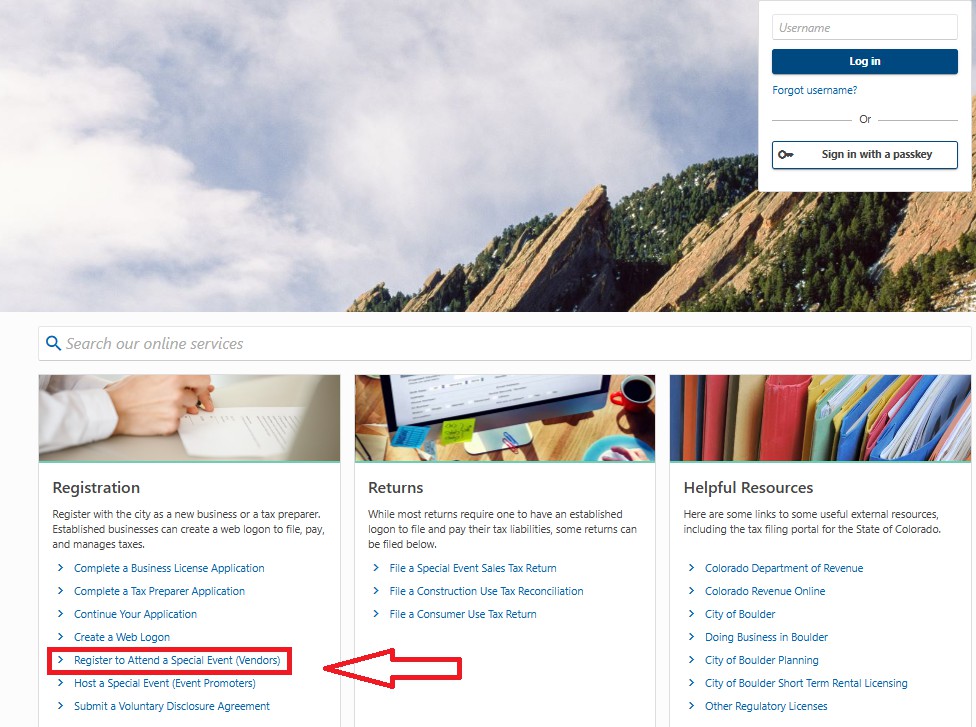
On the Boulder Online Tax System, under Registration, click Register to Attend a Special Event (Vendors)
Select the year, month and special event
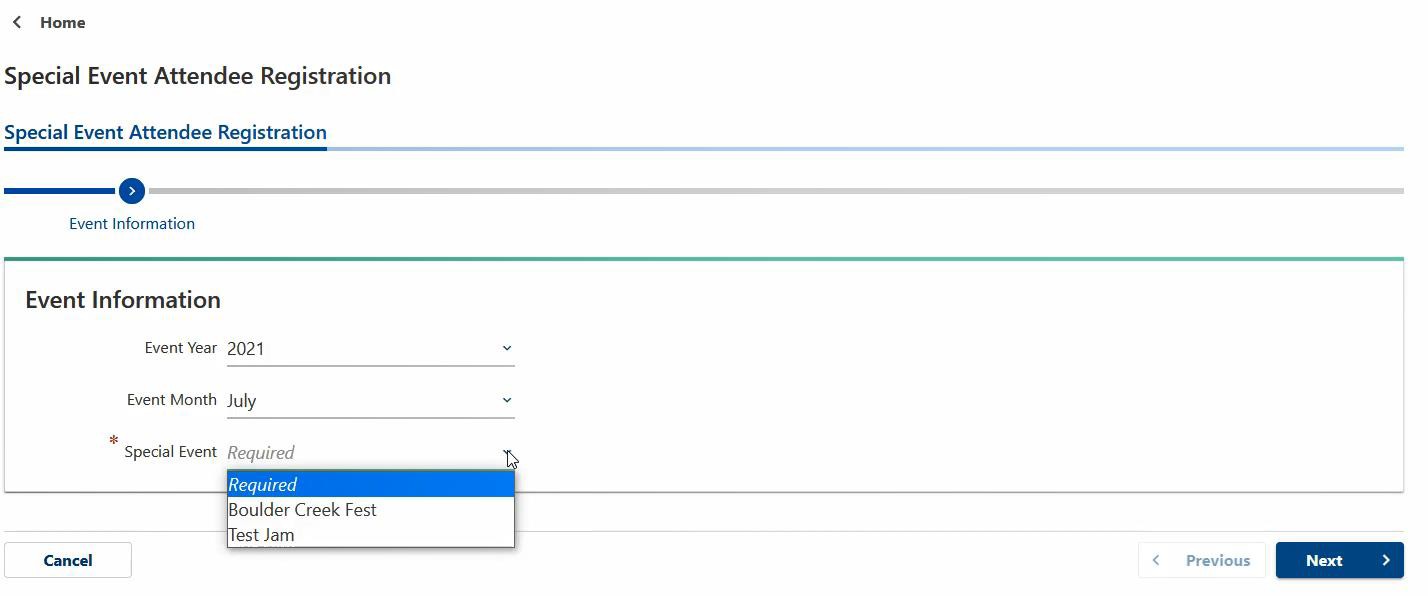
Under Event Information, use the dropdown fields to select the year and month of the event and then select the event name.
Enter business information
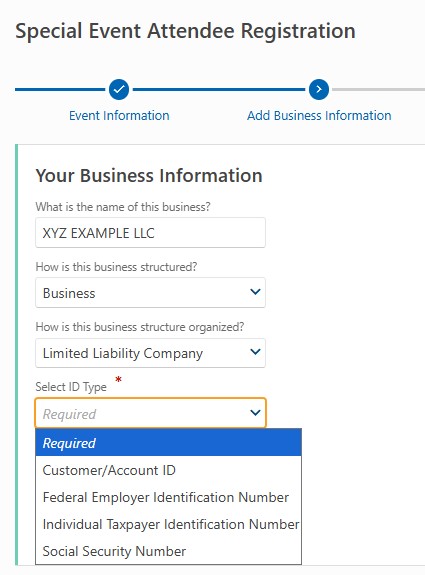
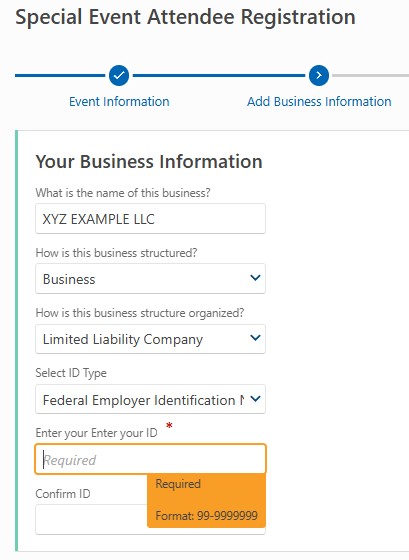
Enter your business information, including the name of the business, the type and subtype of business, and the ID that you would like to use.
Choose ID type and enter number
The ID types are Federal Employer Identification Number (FEIN), Individual taxpayer identification number (ITIN), Social Security Number (SSN), and Taxpayer ID (your City of Boulder 8-digit customer identifier if you have an existing business license). Enter the ID type twice to confirm before proceeding to the next step.
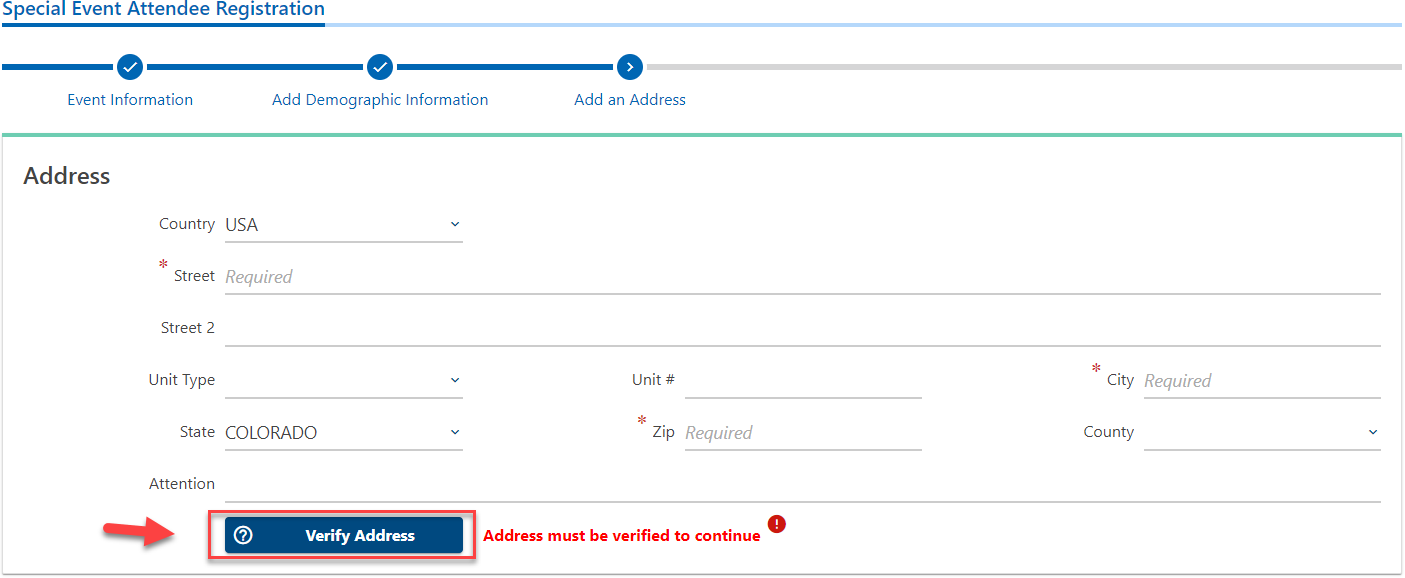
Add and verify address
Add and verify the address of the business. Be sure to use your primary business address and not the location of the event. First, type in the address, and then click the ‘Verify Address’ button.
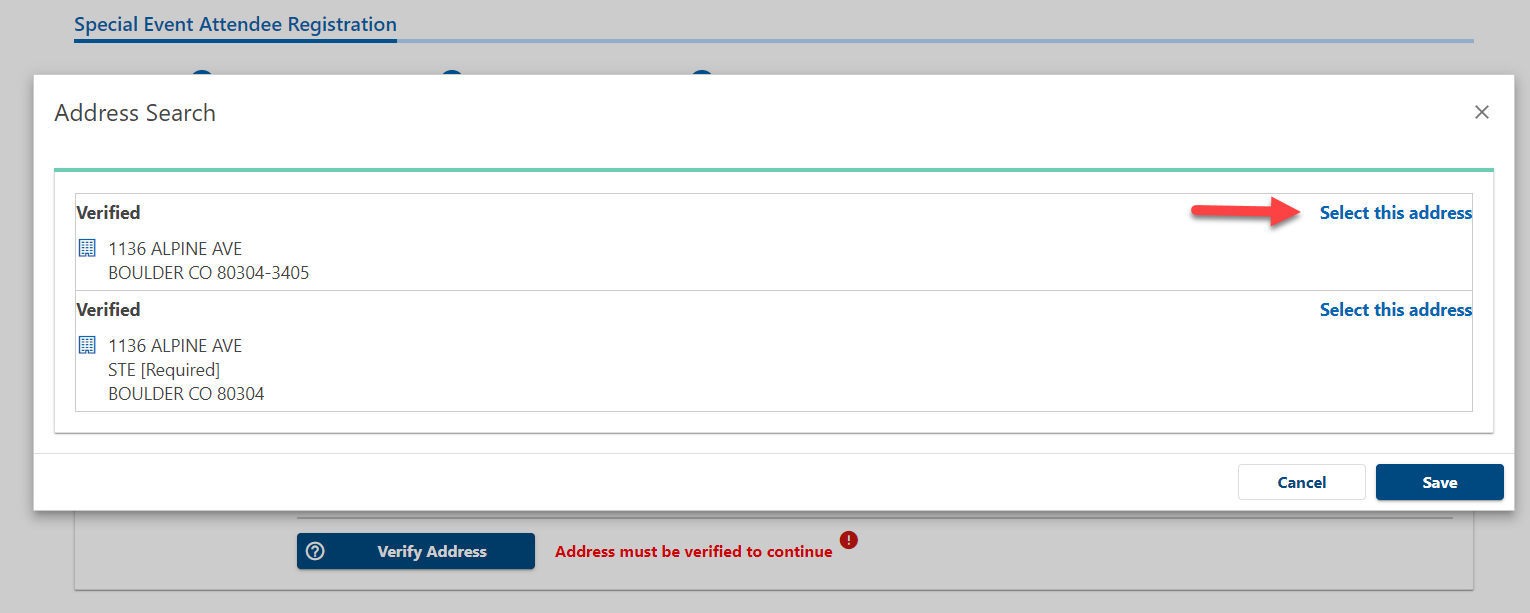
Find your verified address and click the Select this address link. Click the Save button.
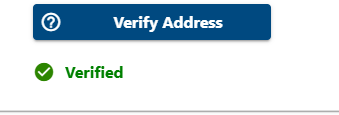
Once the address is verified you can move on to the next step.
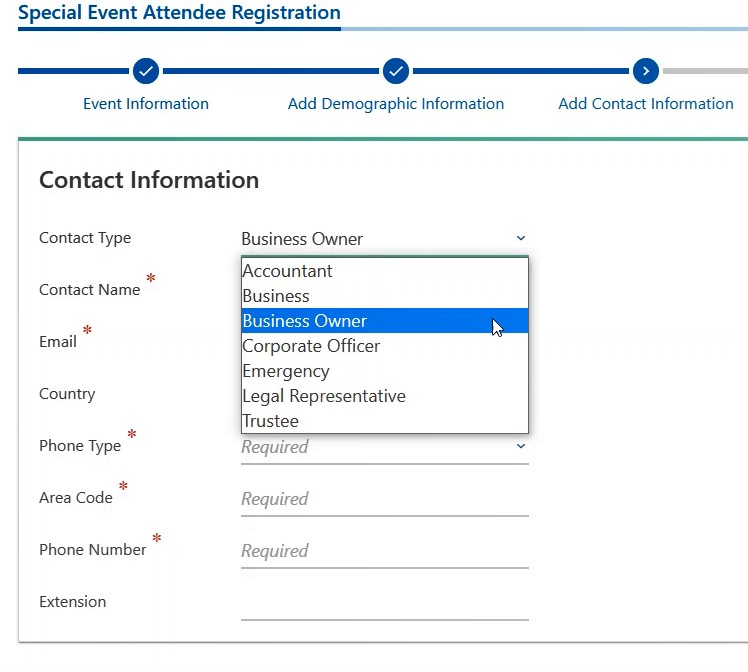
Choose contact type and enter contact information
Enter the contact information for your business.
Submit application
Once your registration is complete you can submit the application. Special Event licenses are free for out-of-city vendors. Boulder based businesses are required to have a normal business license.
Once your registration processes, you will receive an email from noreply_bots@bouldercolorado.gov with a copy of your Special Event License. Be sure to have a digital or printed copy of the license with you at the special event.
How to File a Special Event Return
Go to the Boulder Online Tax System
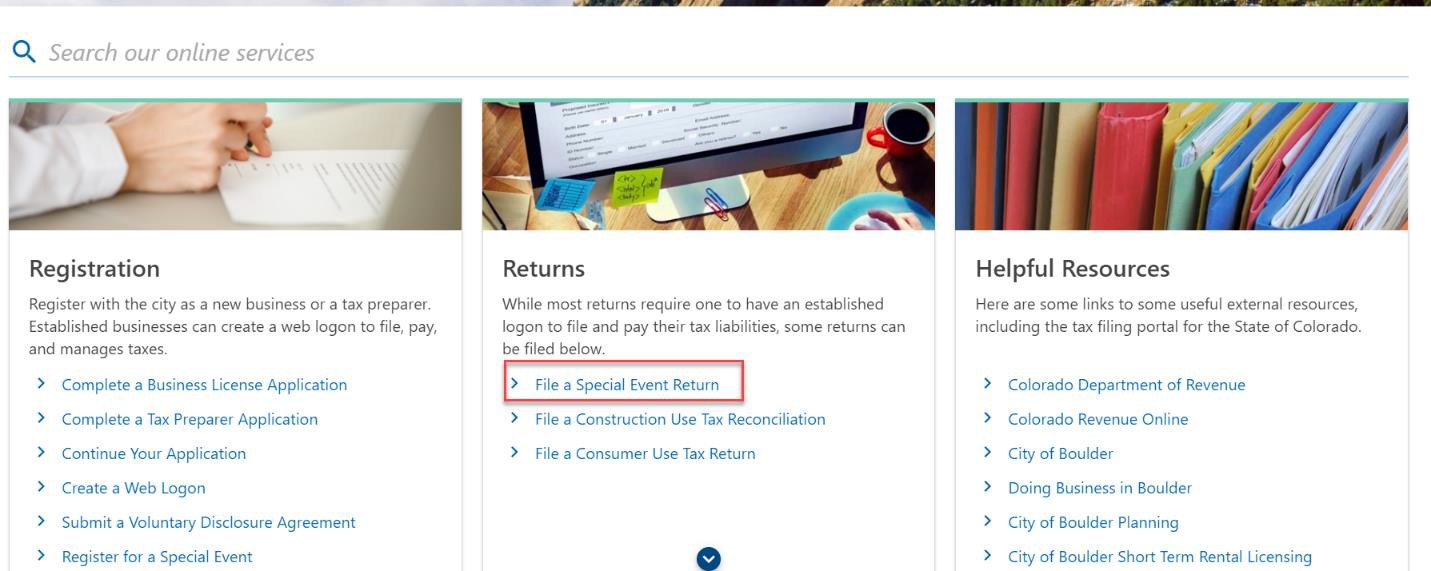
Click File a Special Event Return
Under Returns click File a Special Event Return
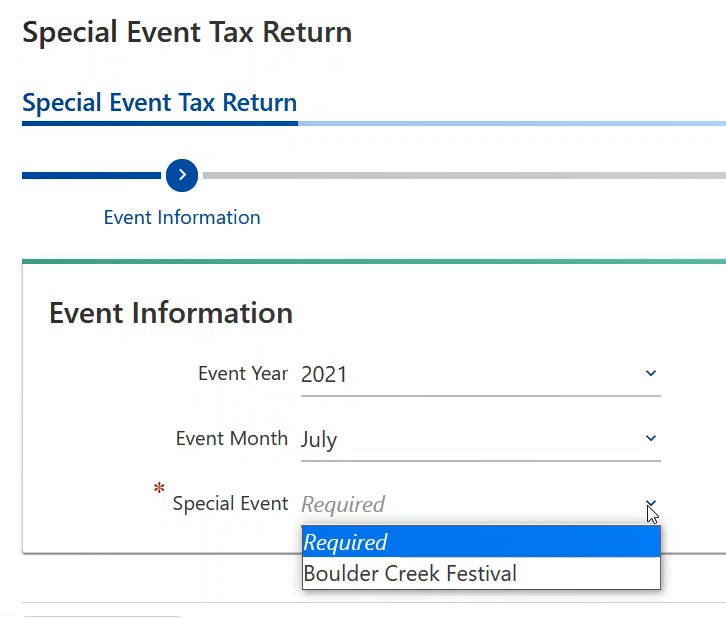
Select the year, month and special event
Use the dropdown field to select the year, month and the special event name.
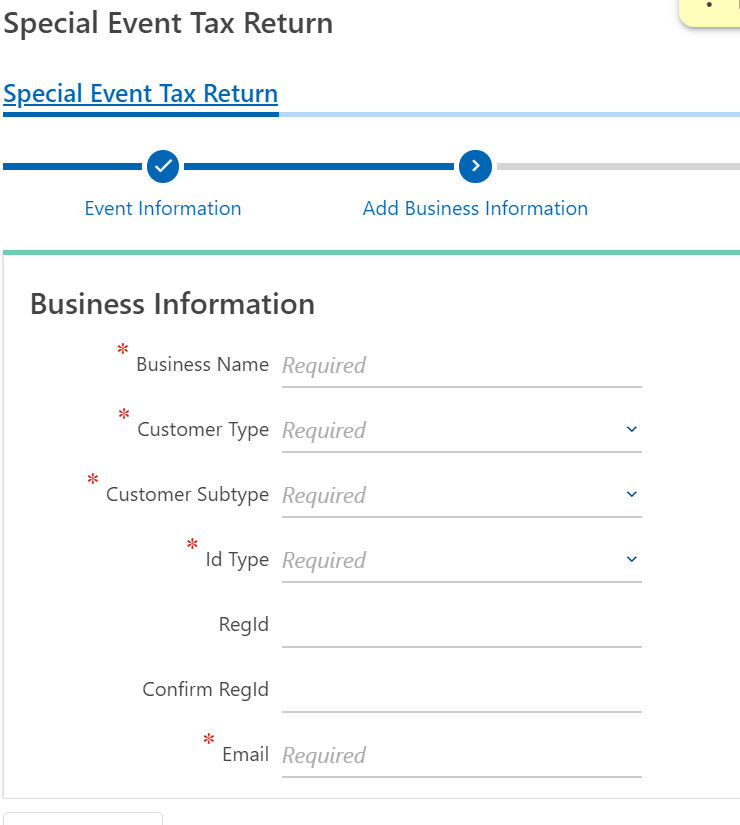
Enter business information
You will need to type in the same identifying business information you used to register for the event.
Complete special event tax return
If you successfully pre-registered for the event, you will now be taken directly to the return. You can see instructions for each tax type on the right hand side.
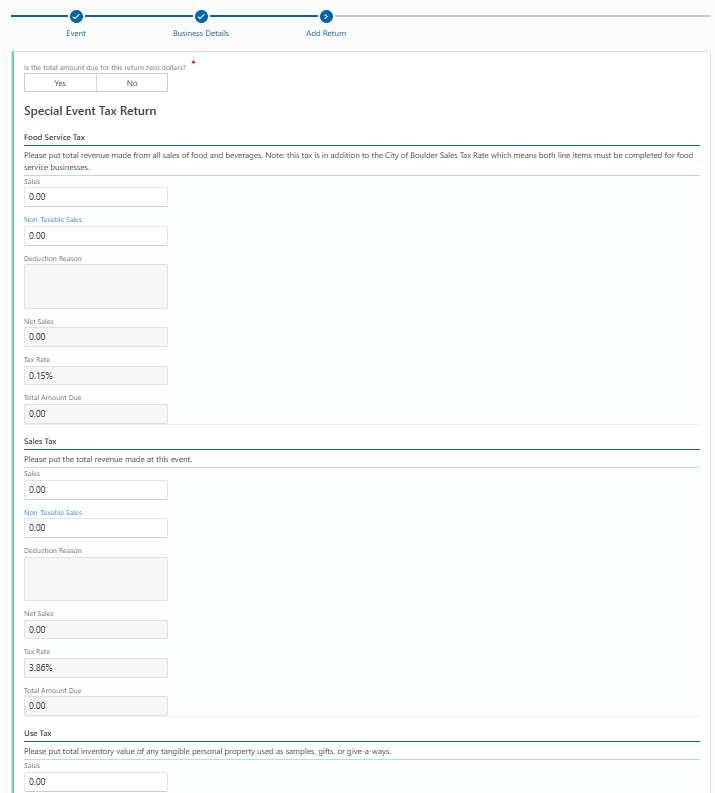
If you owe tax on the return, answer No to the first question and then type the amount of your gross sales from the event.
Note: If you answer No you will see an error message pop up. Once you fill out the return the error will disappear.

Enter gross sales
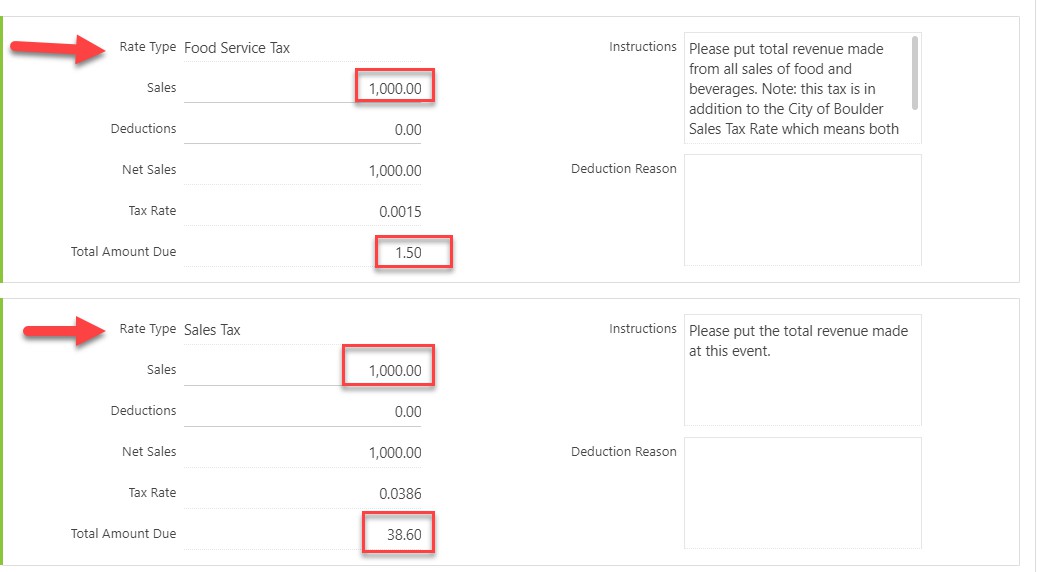
If you are a food or beverage vendor, please type the amount of your gross sales into the Food Service Tax line in addition to the Sales Tax line. The return will calculate the tax due based on the gross sales and food service tax sales that you input. In the example below the vendor sold $1000 worth of food and beverages.
Make payment
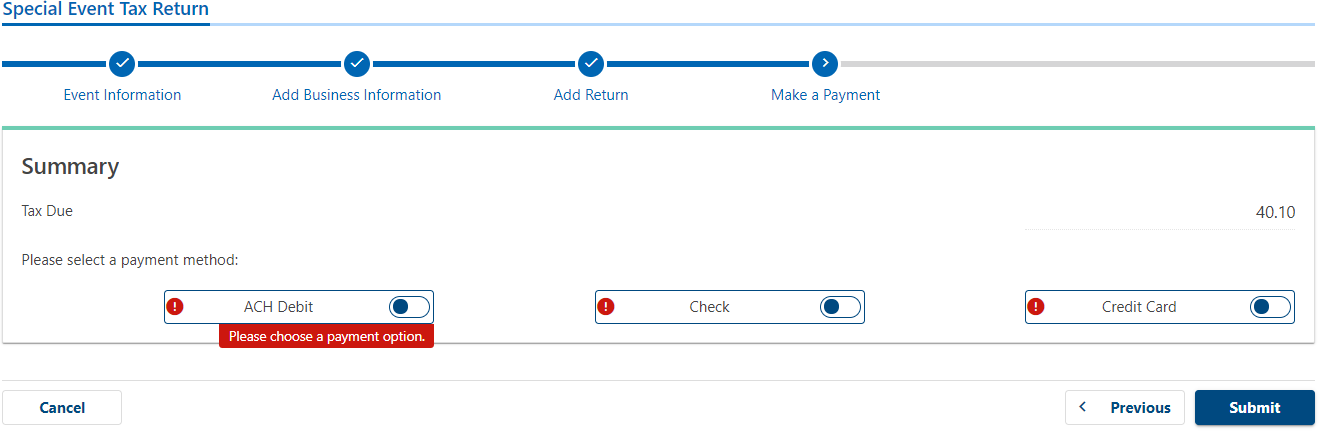
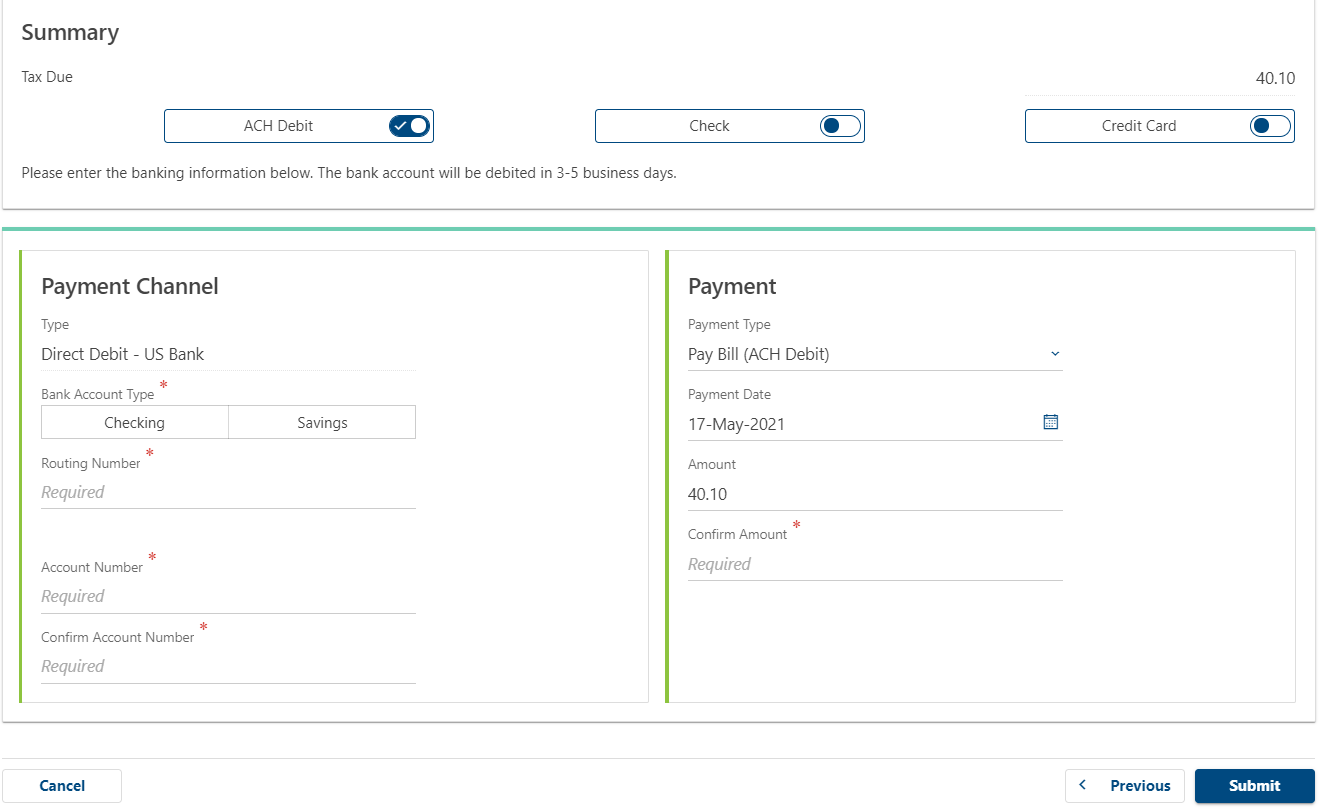
After you click Submit and then Next you will be taken to the payment page where you will select the payment option you would like.
- We recommend ACH Debit, where you can type in your banking information and instantly pay.
- For check payment you will need to print the voucher in step 9 to mail in with the check.
- For credit card payment you will be emailed a link to our 3rd party site where you can pay by card.
Note: There is a processing fee for credit card payments.
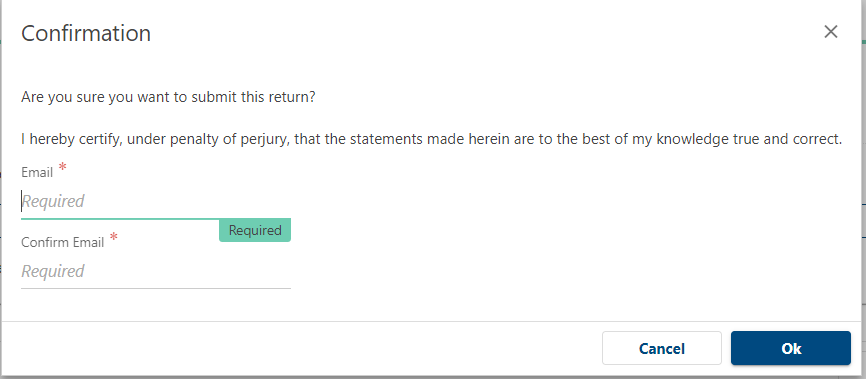
Confirm submission
Confirm your submission by typing in your email address twice. Click the OK button.
Print Return
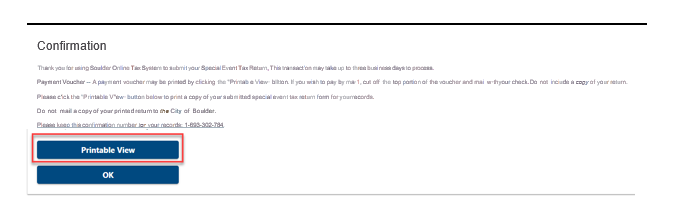
The final page will give you an option to print a copy of your return, along with a payment voucher if you did not pay immediately by ACH Debit.
Click on Printable View button so you can download, save and print a copy of the return for your records.